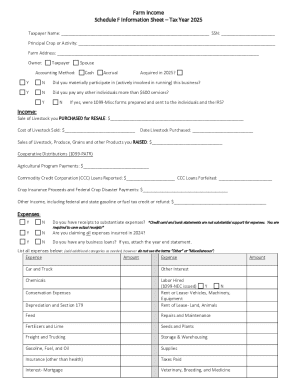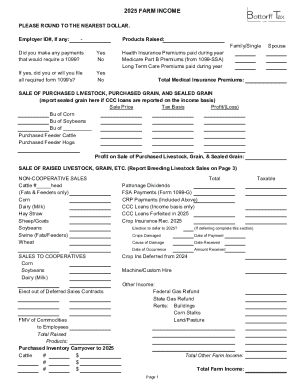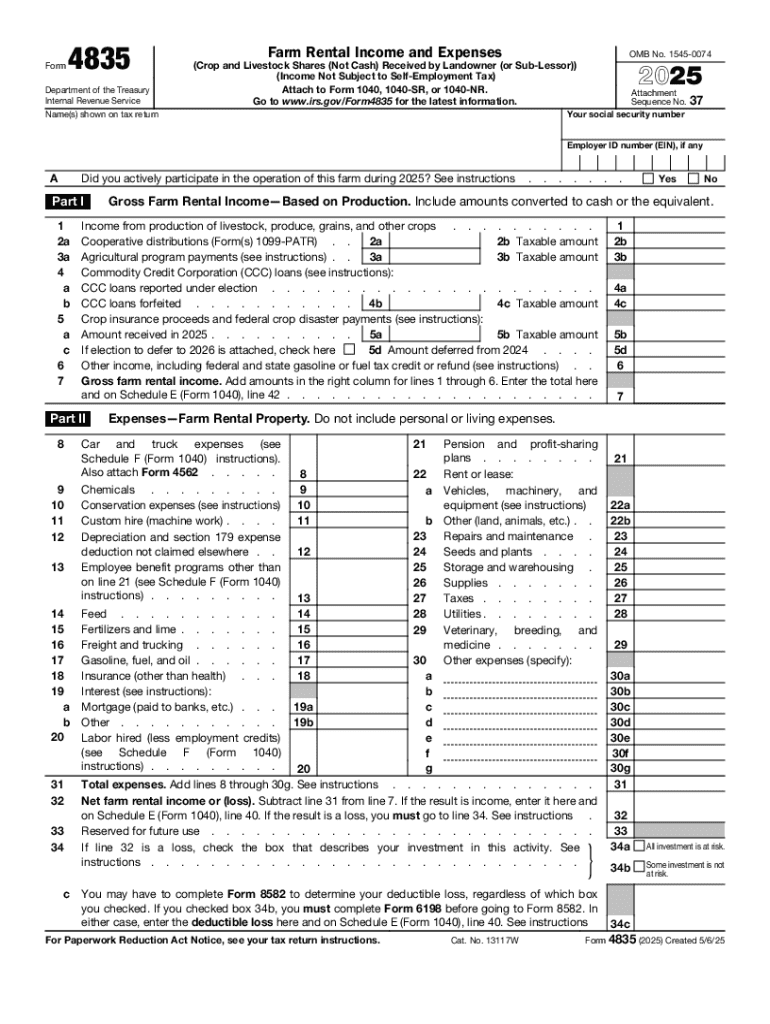
Form preview

IRS 4835 2025-2026 free printable template


Get Form
pdfFiller is not affiliated with IRS
Screenshot
Screenshot
Screenshot

Get, Create, Make, and Sign IRS 4835

Edit your IRS 4835 online
Type text, complete fillable fields, insert images, highlight or blackout data for discretion, add comments, and more.
Screenshot
Add your legally-binding signature
Draw or type your signature, upload a signature image, or capture it with your digital camera.
Screenshot
Share your form instantly
Email, fax, or share your IRS 4835 via URL. You can also download, print, or export forms to your preferred cloud storage service.
Screenshot

Instructions and Help about IRS 4835

How to edit IRS 4835

To edit IRS 4835, obtain a blank form from the IRS website or a trusted tax form provider. You can fill it out using a PDF editor, such as pdfFiller, which allows for easy modifications. Ensure you save your changes and review the form carefully before submission to avoid errors. Always keep a copy for your records after editing.

How to fill out IRS 4835

Filling out IRS 4835 requires accurate reporting of income and expenses for rental property income. Start by gathering your financial documents, including records of rental income received and expenses incurred. Follow these general steps:
01
Download the IRS 4835 form from the IRS website.
02
Enter your name, address, and Taxpayer Identification Number (TIN) at the top of the form.
03
Complete the income section, reporting the total rental income received.
04
Fill in the expenses section, detailing all eligible deductions related to your rental activities.
05
Sign and date the form before submission.

Latest updates to IRS 4835

The IRS periodically updates forms, including IRS 4835, to reflect changes in tax laws or procedures. It's essential to check the IRS website for the most recent version and any changes that may affect your filing. Be aware of deadlines and new requirements related to this form, especially if you’re claiming different deductions or reporting new types of income.

All You Need to Know About IRS 4835

What is IRS 4835?

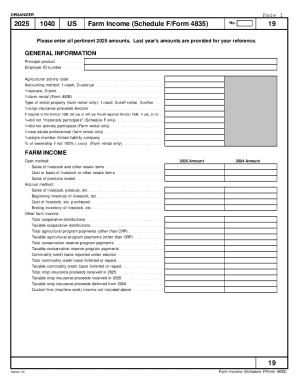
IRS 4835 is a tax form used by farmers and rental property owners to report income and expenses related to renting out property. It is specifically designed for taxpayers who receive income from rent but do not operate a full rental business. This form allows filers to detail income and allowable deductions, ensuring accurate reporting to the IRS.

When am I exempt from filling out this form?

You may be exempt from filing IRS 4835 if your rental activities fall under specific exclusions, such as qualifying for the de minimis safe harbor for rental income or if you do not earn more than a certain amount from rental activities. Additionally, if your rental activity is considered a "passive" activity under IRS rules, you might not need to fill out the form.

What are the penalties for not issuing the form?

Failure to file IRS 4835 or incorrectly reporting information can result in significant penalties, including fines. The IRS may impose penalties for late filing, incorrect information, or failure to pay owed taxes. Always ensure accurate reporting and timely submission to avoid these consequences.

Is the form accompanied by other forms?

IRS 4835 can be accompanied by various other forms depending on your overall tax situation. For instance, if you are also filing for depreciation or any specific deductions, forms such as Schedule C or Form 4562 might be necessary. Always refer to the IRS instructions for the correct forms to include based on your financial activities.

What is the purpose of this form?

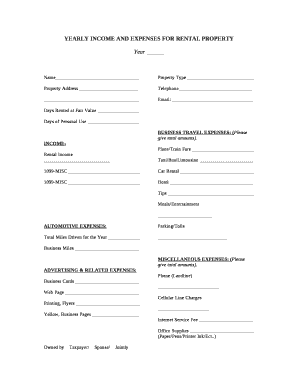
The purpose of IRS 4835 is to report income and expenses generated from renting out property, particularly for individuals who do not qualify as full-fledged businesses. This form allows taxpayers to claim deductions for expenses incurred during the rental process, ultimately reducing their taxable income.

Who needs the form?

Individuals who need IRS 4835 typically include those who earn rental income over a certain threshold or individuals engaged in renting out their property on a limited basis. If you receive rental income but operate less than a full rental business, you must use this form.

Components of the form

IRS 4835 includes several key components: taxpayer information at the top, sections for income, expenses, and any applicable deductions. Each section must be filled out clearly and accurately. The form also has instructions on how to report different types of income and expenses, ensuring taxpayers know which entries are required.

What information do you need when you file the form?

When filing IRS 4835, gather information related to your rental activity, including:
01
Total rental income received for the tax year.
02
Itemized expenses related to property maintenance, management, and depreciation.
03
Documentation supporting any deductions claimed on the form.
04
Your TIN and other personal identification details.

Where do I send the form?

The destination for sending IRS 4835 depends on your filing method and location. If filing by mail, send the form to the address indicated in the form instructions, based on whether you are enclosing payment or not. If e-filing through certified tax software, follow the software's guidelines for electronic submission.

FAQ about IRS 4835

If you discover a mistake after submitting your IRS 4835, you can file an amended return. Ensure you provide accurate information and identify the changes clearly. Retain a copy for your records, as this serves as evidence of your correction.

To track the status of your IRS 4835, you may use the IRS online tools designed for this purpose. If you filed electronically, keep an eye on any confirmation emails for receipt. For paper submissions, it may take longer to update, but you can still contact the IRS for status inquiries.

Receiving an IRS notice regarding your submitted IRS 4835 indicates that there may be an issue needing your attention. Carefully read the notice, gather any requested documentation, and respond by the deadline. It’s advisable to consult with a tax professional for guidance.

Yes, ensure your software complies with IRS e-filing standards. Check that your internet browser is up to date and stable. Some older systems may not be compatible, so it’s wise to confirm your technology meets all necessary specifications before attempting to file.

Common pitfalls include discrepancies in reported income and expenses, incorrect calculations, or failing to attach required schedules. Double-checking figures and ensuring all necessary information is included can help mitigate these mistakes and promote a smoother filing process.

See what our users say

Read user feedback and try pdfFiller to explore all its benefits for yourself
Great features separating documents, editing, downloading, etc. Very user-friendly. Thanks.
Anonymous Customer
It was so easy and convenient to send… It was so easy and convenient to send documents to IRS and I used the customer service/help desk and they were very knowledgeable and answered my questions promptly. First time user and I'm impressed!
Rebeca Mata
See what our users say
Trust Seal
Trust Seal
Trust Seal
Trust Seal
Trust Seal
Trust Seal
Trust Seal
Trust Seal
Rate free form
4.6
satisfied
47 votes

How to Fill Out Small Business Tax Forms Online with pdfFiller

Struggling with your Schedule C or not sure how to file business taxes as a sole proprietor, LLC, or self-employed professional? This step-by-step pdfFiller tutorial walks you through completing IRS Schedule C quickly and accurately — no printing, no scanning, no stress. Whether you're handling small business tax deductions, tracking self-employed taxes, or preparing your full business tax return, pdfFiller makes it simple right in your browser.

Related Forms

If you believe that this page should be taken down, please follow our DMCA take down process here .
This form may include fields for payment information. Data entered in these fields is not covered by PCI DSS compliance.